

BIM planning

Plan and report progress per element

Give elements a planned date, filter the model by week and let the site report what is finished. Progress becomes visible in colour in the model and in the calendar, without a separate spreadsheet that is out of date by Monday afternoon.

  • Plan per element or per selection, in the model itself
  • Filter on planning dates to see what is due this week
  • Report work as done on a tablet, with the date it happened

14 days free. No credit card needed.

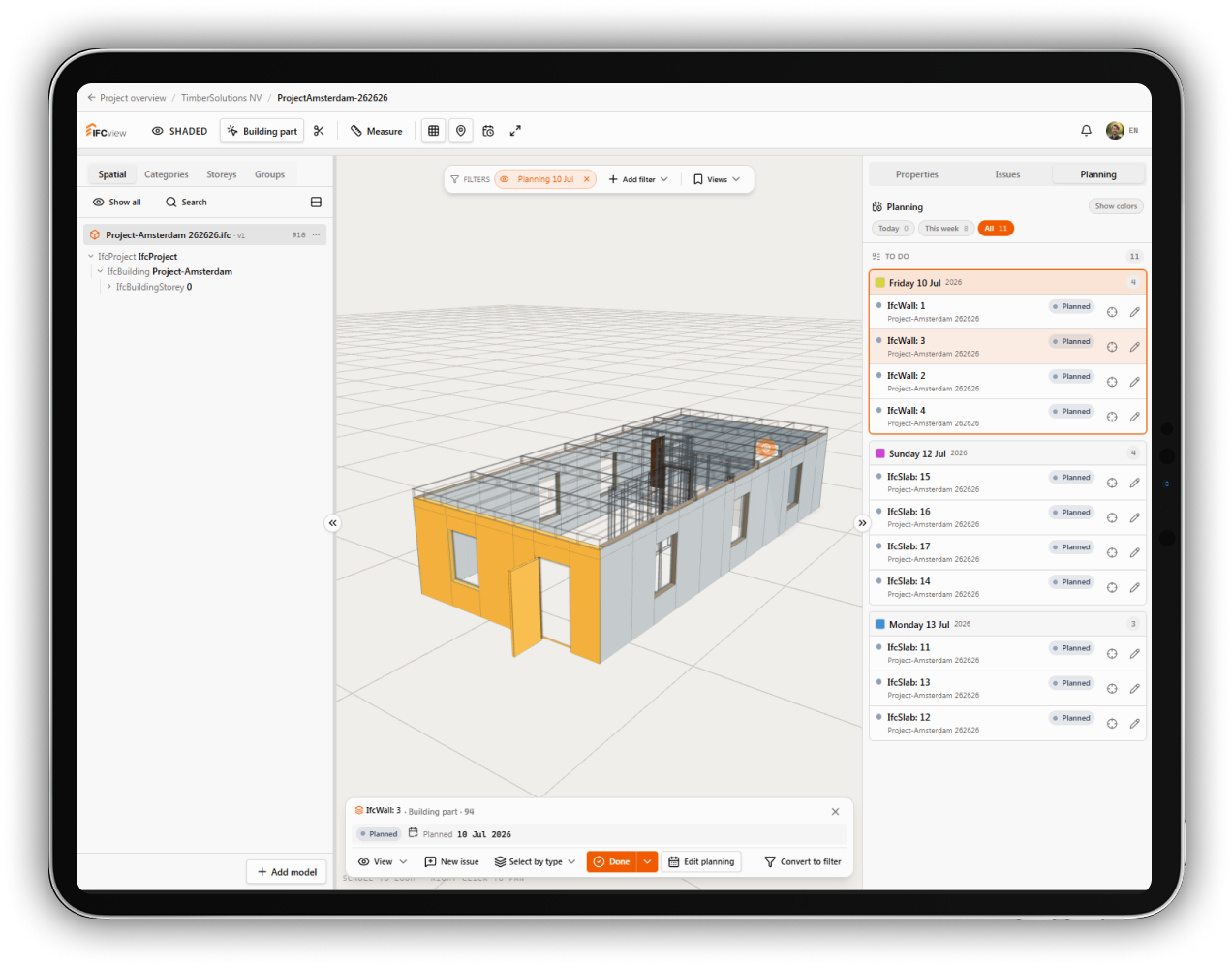
Model filtered by planning date in IFCview

4D planning that people actually keep up to date

Linking a schedule to a model usually fails on maintenance. It only works if updating takes seconds. In IFCview you select elements in the 3D view, set a date and you are done. Reporting progress is one tap, so the person doing the work can keep the planning honest.

See at a glance what is due

Filters on planning dates leave only the elements for a chosen period in view. That turns a full building model into a clear list of work for this week. Colours show which elements are planned, in progress, done or late, so a delay is visible before it costs you a week.

The calendar follows reality

Every element that is reported as finished appears on the day it was actually done. That gives you a factual record of progress instead of an estimate. Handy for the weekly meeting, and useful later when you need to explain how the sequence really went.

Stays linked across revisions

New model versions arrive throughout a project. Planning stays connected to the elements through their identifier in the IFC file, so a revision does not wipe out weeks of preparation. Elements that vanished from the model are marked, so you can relink or close them.

Try planning on your own model

Upload an IFC file, plan a few elements and see how progress looks in the model. Free for 14 days.

Start your free trial