

Measuring

Measuring in an IFC model, in the office and on site

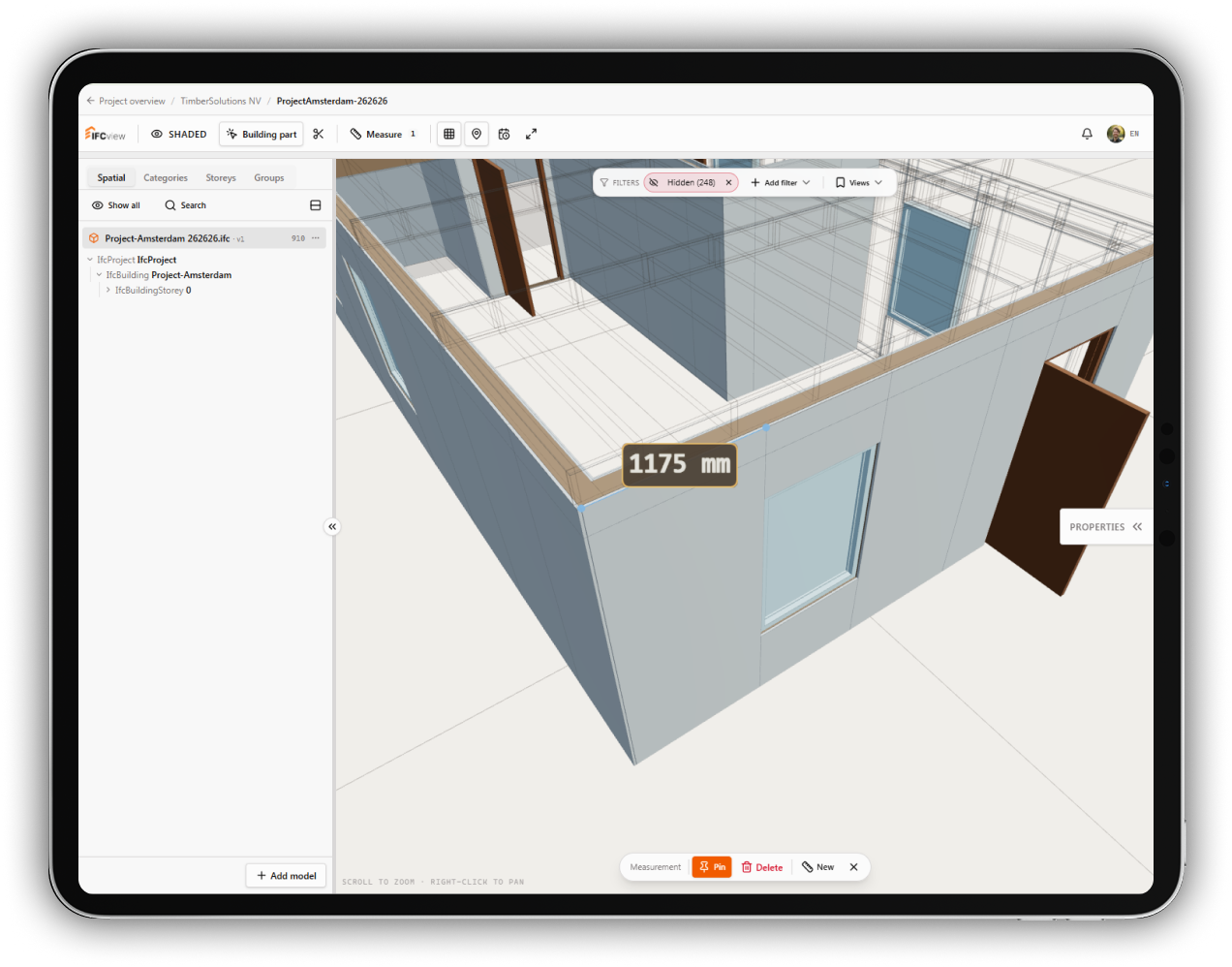
Checking a distance, a clearance or an angle should not require the original modelling software. In IFCview you measure directly in the IFC model in your browser, with snapping so the point you pick is the point you meant.

  • Snap to vertices, edges, midpoints and faces
  • Measure in section cuts, on the cut edges themselves
  • Save measurements so the team sees the same values

14 days free. No credit card needed.

Distance measurement with snapping in an IFC model

Why snapping matters

Clicking freely in a 3D model almost always lands a few millimetres off. Snapping locks the cursor to real geometry: a corner, an edge, the middle of an edge or a face. That makes a measurement reproducible, so a colleague who checks it gets the same number.

Measuring in a section

Many checks are about what is hidden inside: the thickness of a floor build-up, the space between a duct and a beam. Use the section box to cut the model open, and the measuring tool snaps to the edges where the cut meets the geometry.

Shared with the team

A saved measurement stays in the project together with the viewpoint it was taken from, and shows who placed it. Instead of sending a screenshot with a number, you share the measurement in the model itself.

On a tablet on site

The viewer works with touch input, so you can check a dimension while standing next to the element it is about. No laptop and no installation needed.

Measure in your own model

Upload an IFC file and start measuring with snapping, sections and shared results.

Start your free trial